
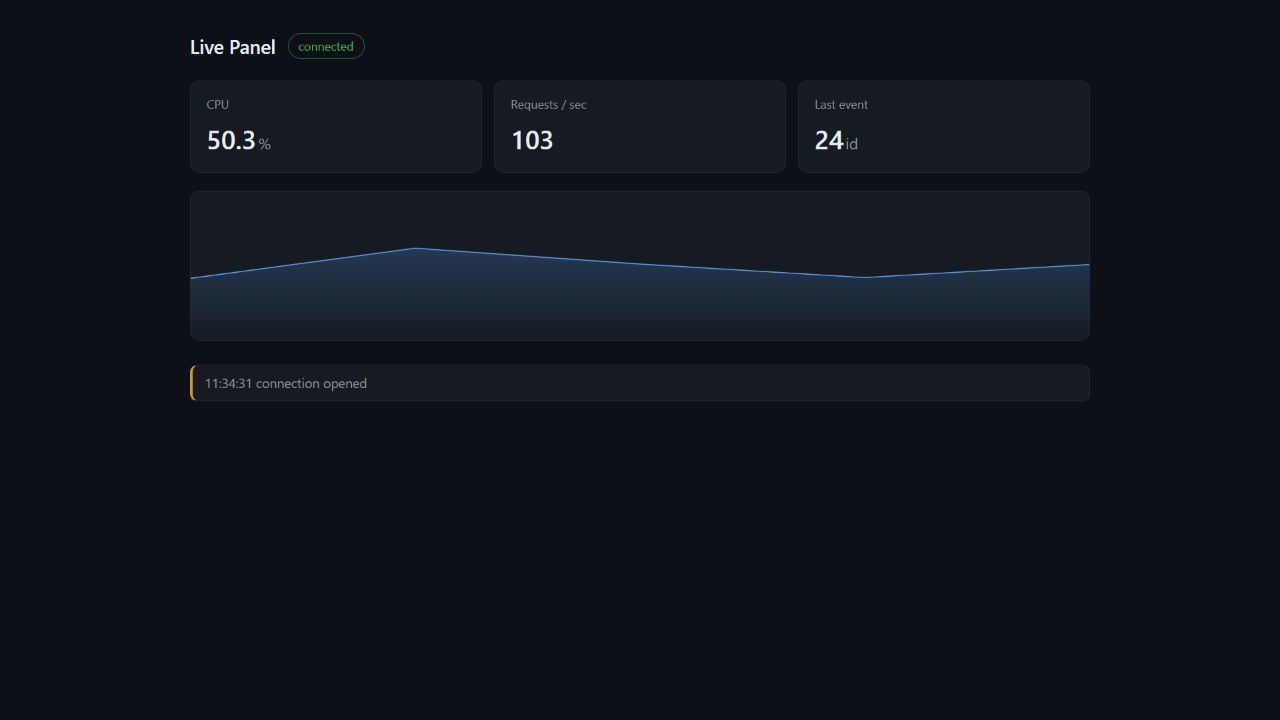
If you are building a dashboard and the numbers have to stay fresh, you usually reach for one of two things: a timer firing a request every second, or a WebSocket. If the data only flows one way, there is a third option.
I am not going to explain Server-Sent Events from scratch; there are hundreds of posts for that. What I want to write about is what happens when the connection drops. That is the part that turns this from a toy into something you can actually ship.
- One request, a response that never ends
HTTP normally works like this: the client asks, the server answers, the exchange is over. The server has no way to speak on its own. SSE changes exactly one thing: the server does not finish the response.
The browser connects once, the connection stays open, and the server keeps writing into the same response. The browser is not sending new requests; it is just listening.
It is not a new protocol either, it is still HTTP. When the response carries Content-Type: text/event-stream, the browser does not wait for the response to complete; it processes data as it arrives.
Here is what it looks like on the wire:
event: tick
data: {"cpu":47.2,"requests":188}
id: 29
A field name, a colon, a value, and a blank line that ends the event. Simple enough to write by hand.
Worth mentioning: this is how ChatGPT types out an answer token by token. You have probably been using SSE for years without knowing its name.
2. One producer, a queue per client
In my first version, the request itself produced the numbers. Then I opened a second terminal, and the two clients showed different values, because there were two producers.
The fix is to produce the data once and fan it out. The producer has to live independently of requests: a request comes and goes, but the producer runs for as long as the app is up. In .NET that is a BackgroundService.
On the delivery side, every client gets its own queue. The reason is simple: with one shared queue, whatever one client reads is gone for the others. Give each client its own Channel and nobody steals anybody's data.
public int Broadcast(string eventType, string data)
{
    var item = new SseItem<string>(data, eventType)
    {
        EventId = Interlocked.Increment(ref _sequence).ToString()
    };

    foreach (var channel in _clients.Values)
        channel.Writer.TryWrite(item);

    return _clients.Count;
}
Having the event id come from a single counter matters, because the entire next section depends on that number only ever going up.
3. The interesting part: when the connection drops
So what happens when a user closes the tab and opens it again? EventSource reconnects on its own. But the more valuable part is this: it remembers the last event id it saw and sends it back as a Last-Event-ID header.
Which means the server gets "where did this client leave off" for free. So we tell it how many events it missed:
if (long.TryParse(lastEventId, out var lastId))
{
    var missed = Math.Max(0, Interlocked.Read(ref _sequence) - lastId);
    yield return new SseItem<string>(JsonSerializer.Serialize(new { missed }), "resume");
}
Here is what the client sees:
event: resume
data: {"missed":23}

event: tick
data: {"cpu":38.9,"requests":87}
id: 28
Two details live in there. First, the resume event carries no id. It is not data, it is information; if it had an id, it would overwrite the browser's memory of the last id and break the next calculation.
Second, Math.Max(0, ...). If the server is restarted, the counter resets and the difference goes negative. The server has no history for those events, so "you missed zero" is the honest answer. Without that guard the panel would show something like missed: -195: wrong, and confusing enough to make people distrust the numbers.
4. Where it fits, where it does not
Good fit: notifications, progress bars, live dashboards, long-running job status, price and stock updates. The rule of thumb: if the user is only watching, SSE; if they are talking back, WebSockets.
Not a fit: sending chat messages, games, collaborative editing. Also worth knowing: it is built into browsers, but native clients such as mobile apps need a library.
The classic trap: if a reverse proxy buffers the response, events never reach the client. On nginx you need proxy_buffering off;.
5. How this code actually came to be
The "design" I keep referring to did not arrive in one piece. The code is the product of six small breakages:
- A second client saw different numbers → one producer
- The producer did not know who to send to → a list of connected clients
- The same value could not reach two places → a queue per client
- A disconnected client stayed in the list → cancellation and cleanup
- A page refresh started over from scratch →
Last-Event-ID - A server restart produced a negative number →
Math.Max(0, ...)
Design is usually just this list, filled in patiently. Nobody holds the whole thing in their head up front. You break it, you notice, you fix it.
The full code, how to run it, and the honest notes are here: https://github.com/beriltzcn/sse-live-demo
Comments
Please log in to leave a comment.
No comments yet. Be the first!